Customizing the ribbon |
  
|
Customizing the ribbon |
|
"Ribbon" only: This section is relevant only for users who have configured the program to use the ribbon interface. (For information on customizing the classic menu interface, see Customizing toolbars.)
Tip: You can switch the user interface between ribbon and classic menus at any time. To do so, choose the command File | Options in the ribbon (or choose Tools > Options in the classic menu interface). In the dialog box, switch to the Appearance tab and click on the User interface button. The program will display a dialog box in which you can choose the desired user interface.
In this section you will learn how to configure the ribbon and add additional icons.
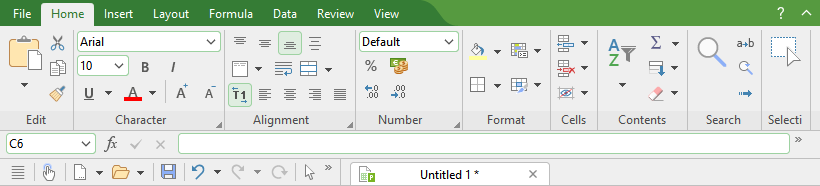
The "Ribbon" and the Quick access toolbar (below)
The information covers the following topics:
▪Showing and hiding the ribbon
For more information, see the following pages.