Selecting cells and cell content |
  
|
Selecting cells and cell content |
|
For some Calculate commands, you can first select a range of cells before you execute them. The command will then be applied to all cells within the selection.
If, for example, you select some cells and then press the Del key on the keyboard, all selected cells will be deleted at once.
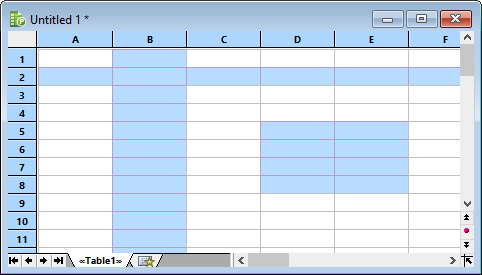
You can even select non-contiguous cell ranges (using the Ctrl key and the mouse).